How to choose the “right” VPN server location: speed, streaming, blocks, privacy
How to choose the right VPN server location: faster speeds, smooth streaming, fewer blocks, and better privacy for YouTube/Shorts, Telegram, X, and TikTok on any device.
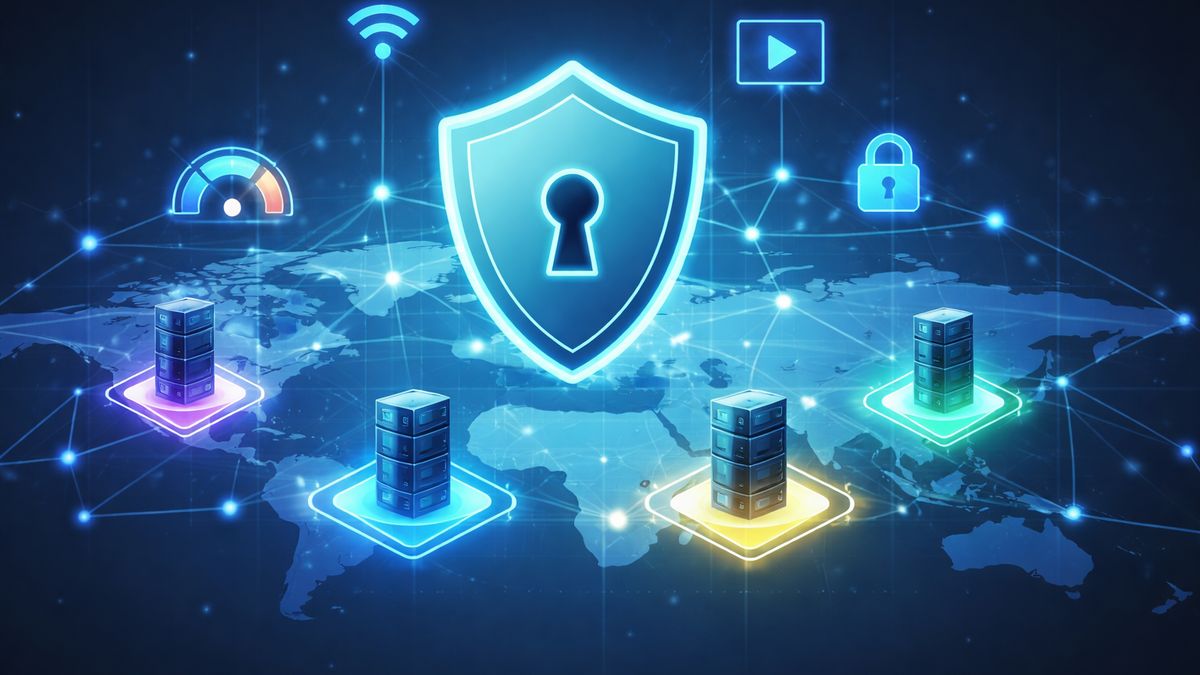
How to Choose the “Right” VPN Server Location: Speed, Streaming, Blocks, and Privacy
If in 2026 YouTube suddenly won’t play videos, Telegram won’t open, or X (formerly Twitter) works inconsistently through a VPN, the issue is often not the VPN itself — but a poorly chosen server location. The country and specific server node affect speed, latency, the ability to bypass blocks, streaming stability, and even how “clean” your digital footprint appears.
Below is a practical guide on how to choose a location for different tasks (YouTube/Shorts, Telegram, X, TikTok), across different devices (Android, iOS/iPhone, Windows 10/11, macOS, Linux, Smart TV/Android TV, router), and why NvoVPN is especially convenient for this purpose: it offers 3200+ servers in 94 countries, high bandwidth (up to 10 Gbps), modern WireGuard/OpenVPN protocols, and a stated no-logs policy.
Why One Location “Flies” and Another “Slows Down”
A VPN location is not just a country flag. In practice, you are choosing:
- Distance to the server (the closer it is, the lower the ping and the higher the chance of stable speed);
- The routing path (ISPs and backbone networks may create inefficient routing even to a neighboring country);
- Server load (evening prime time for streaming);
- Platform policies (YouTube, TikTok, and X may treat IP ranges from different countries differently);
- Regional blocking mechanisms (Russia, Turkey, UAE, etc., all use different filtering methods).
That’s why “VPN for YouTube 2026” with one location may deliver smooth 4K streaming, while another results in constant buffering — turning “YouTube buffering through VPN: how to fix it” into your daily frustration.
What You Want from a VPN — and How That Affects Country Choice
1) Maximum Speed (YouTube/Shorts, 4K, Live Streams)
For speed, the winners are usually:
- Geographically closest locations (lower latency);
- Countries with strong network connectivity (major European hubs often provide predictable performance).
In practice: if you use a VPN for YouTube on your phone or Android device, start with nearby countries and compare speed/ping. If your goal is VPN for YouTube on Windows 11 or Windows 10 for streaming and work — prioritize minimal latency and routing stability.
2) Streaming and “Compatibility” (YouTube, TikTok, X)
Streaming is not only about speed. Sometimes more important factors are:
- Whether the service “trusts” the IP address of that region;
- Reduced anti-bot/anti-fraud triggers.
If you are selecting a location specifically for streaming, review our article:
“Top 5 VPNs for Streaming. Complete Guide” — where we explain streaming compatibility criteria and common country selection mistakes.
3) Bypassing Blocks (Censorship, Filtering, DPI)
When Telegram is blocked in the UAE or X is blocked in Turkey, your chosen location should be:
- Outside the blocking country;
- Close enough to maintain acceptable speed;
- Sometimes paired with an alternative protocol (for example, WireGuard vs OpenVPN) if the network restricts UDP or specific traffic types.
For more on how restrictions work, see our article:
“How to Bypass Geographical Restrictions with a VPN. 2026 Review.”
4) Privacy
If privacy is your priority, evaluate:
- Logging policy;
- Protocols and encryption;
- Service transparency.
NvoVPN states AES-256 encryption, WireGuard/OpenVPN support, and a strict no-logs policy.
We explore privacy in depth in our article:
“How VPN Protects Your Privacy. New Research.”
Quick Checklist: Choosing a Server Location for Your Task
For speed (YouTube/Shorts):
- Nearest country → test it;
- If buffering occurs → try the next nearest country;
- If still slow → change protocol and check DNS (see troubleshooting below).
For Telegram:
- If it doesn’t open → test 2–3 nearby countries;
- If it “doesn’t work” → switch server + protocol.
For X and TikTok:
- Choose locations where the service is generally accessible without restrictions;
- If login or verification issues appear → try another region and restart the app.
For platform-specific guides, see our articles:
- “VPN for YouTube in 2026: How to Access Blocked YouTube on Any Device with NvoVPN”
- “How to Access TikTok via VPN: Working Methods for Phone and PC”
- “X (Formerly Twitter) via VPN: How to Bypass Blocks in 2026”
- “Telegram via VPN: How to Set Up a Stable Connection and Avoid Blocks”
Step-by-Step: Choosing and Verifying a Location (NvoVPN)
NvoVPN is designed for fast setup: register, choose a plan, get your config/QR code, and connect via WireGuard.
Step 1. Install VPN on Your Device
Choose based on your scenario:
- Android / iOS / iPhone — quick setup and fast region switching;
- macOS / Windows 10/11 — focus on speed and routing stability;
- Linux — ideal for stable development/server environments;
- Smart TV — often easiest via router configuration.
Step 2. Choose Location “From Simple to Advanced”
- Start with the nearest country (speed/ping);
- For streaming — test 2–3 countries;
- For bypassing blocks — choose a country outside the restricted region and verify access.
Step 3. Verify That Geo Has Actually Changed
Practical checks:
- YouTube: open 1080p/4K video — watch for buffering;
- Telegram: send messages, test media uploads;
- X: test feed, media, login;
- TikTok: test feed loading and playback.
For a structured approach, see:
“How to Check if Your VPN Is Working Properly. Complete Guide.”
Step 4. Need VPN for the Whole House? Install on a Router
If YouTube on Smart TV is blocked, router-level VPN is often the most practical solution. Configure once — and it works for your TV, streaming box, phone, and laptop on the same network.
See our guides:
- “Complete Guide to Setting Up VPN on a Router”
- “How to Set Up VPN on a Router for YouTube, TikTok, X, and Telegram”
Choosing a VPN for Real-World Location Flexibility
When selecting a VPN, it’s important that the service doesn’t force you to “struggle” with locations.
Critical factors:
- Large number of countries and servers;
- High network bandwidth (evening YouTube should not suffer);
- Modern protocols (essential in 2026);
- Clear privacy policy.
NvoVPN offers:
- 3200+ servers
- 94 countries
- Up to 10 Gbps speeds
- WireGuard/OpenVPN
- AES-256 encryption
- No-logs policy
- 5-day trial
- 30-day money-back guarantee
For broader market comparison, see:
“How to Choose the Best VPN in 2026. Expert Advice.”
Common Issues and Quick Fixes
Telegram Won’t Open
- Switch to a server in another nearby country;
- Change protocol (WireGuard ↔ OpenVPN);
- Restart Telegram and your device;
- Check if DNS or traffic is being filtered.
Full checklist:
“Telegram Not Opening or Not Working: How to Fix via VPN (2026).”
YouTube Doesn’t Play Videos: VPN or DNS?
If YouTube opens but videos won’t load:
- Try another location;
- Switch protocol;
- Check DNS/network configuration.
See:
“VPN Not Connecting in 2026: 12 Causes and Quick Fixes.”
Security and Legal Considerations
VPN is a privacy and access tool, but usage rules depend on the country. Before traveling or staying long-term in another jurisdiction, understand local restrictions and risks.
See:
- “VPN Laws Around the World. Complete Guide”
- “Online Security: Why VPN Is a Necessity. Updated Information”
Mini-FAQ
Which location should I choose for faster YouTube?
Start with nearby countries, then test 2–3 alternatives. In 2026, speed depends not only on country but also routing and server load.
How to access TikTok via VPN if the app behaves unpredictably?
Change region (sometimes a popular TikTok market works better), restart the app and connection.
Should I choose a distant country for privacy?
Not necessarily. A nearby location often provides better speed. Privacy depends more on the provider’s logging policy and protocols. See our article: “How VPN Protects Your Privacy. New Research.”
Final Takeaways: What to Do Right Now
- Define your goal: speed, streaming, bypassing blocks, or privacy.
- Start with a nearby location and test (YouTube/Telegram/X/TikTok).
- If problems arise — change server and protocol, check DNS/network.
- For Smart TV and home setups — configure VPN on your router.
If you need a service that makes location selection easy and flexible, NvoVPN meets the core requirements of 2026: wide global coverage, modern protocols, and fast setup via config/QR.
If you want to explore specific scenarios in more detail, review our YouTube, Telegram, X, and TikTok guides — and keep this instruction handy so you can quickly switch locations when a service “suddenly” stops working.
Related articles
You might also like
Как установить VPN на Android в 2026: пошаговая инструкция
Как установить VPN на Android в 2026: пошаговая инструкция Если YouTube грузится по три минуты, Ins...
Read moreVPN на айфон: настройка конфигурации в 2026
VPN на айфон: настройка конфигурации в 2026 Если вам прислали файл конфигурации или ссылку на VPN-с...
Read moreVPN для айфона с GitHub: бесплатные конфиги в 2026
VPN для айфона с GitHub: бесплатные конфиги в 2026 Если вы вбили в поиск «впн для айфон гитхаб», ск...
Read more